
A transcript tells you what was said. For interviews, meetings, and podcasts, the other half of the job is knowing who said it — the problem speech researchers call speaker diarization. As of iPhone 1.8.5, Mac App Store 1.3.2, and the direct-download Mac build 1.5.1, Whisper Notes runs diarization entirely on-device.
In this post, we explain how it works, share benchmark results against cloud-generated ground truth, and describe the one failure mode we couldn't engineer away — and what we did instead.
What it does
Open a note — a recording, an imported audio or video file, a meeting recording — and tap the speakers button. A few seconds later, each paragraph carries a speaker label and a timestamp.
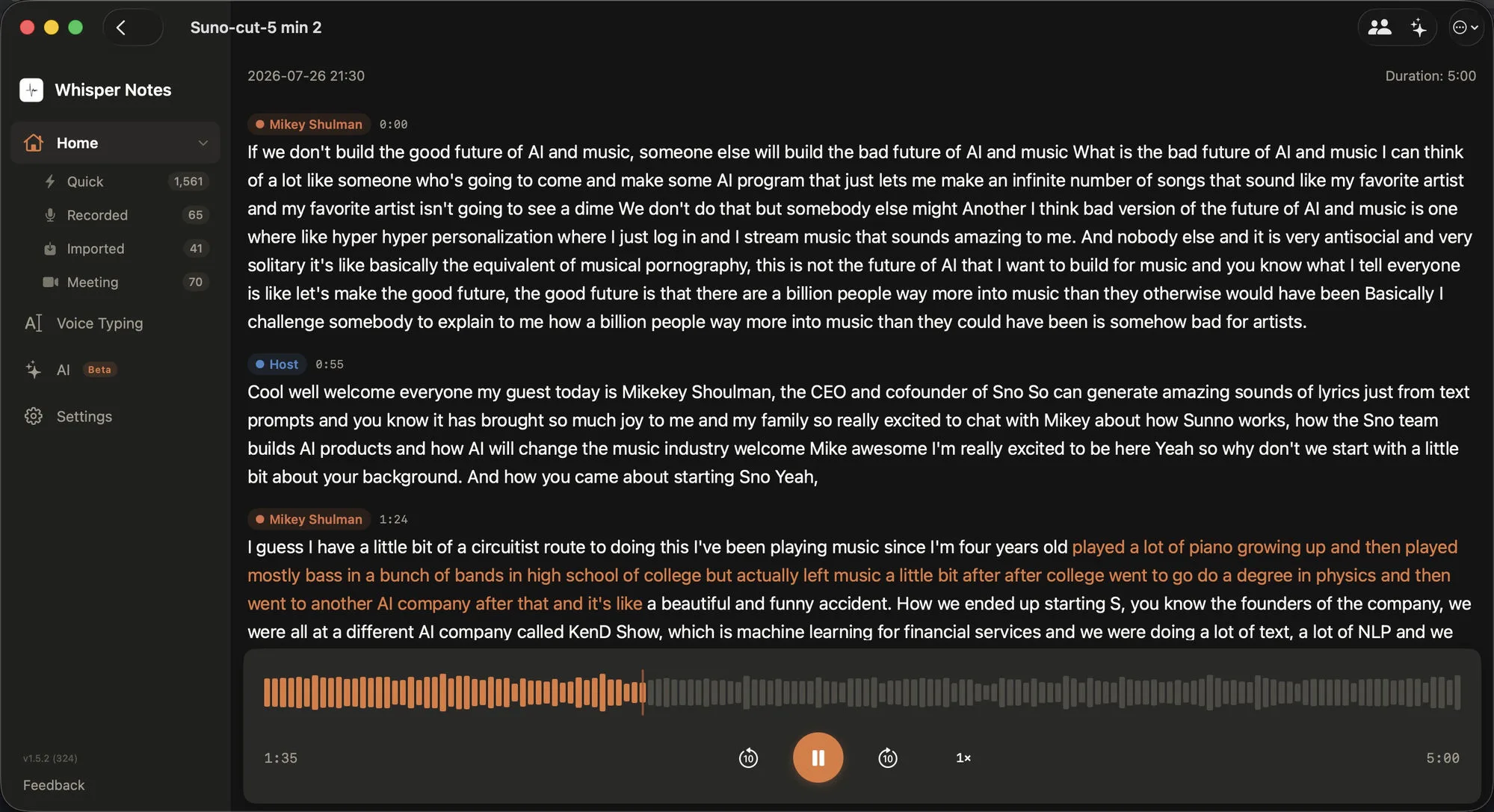
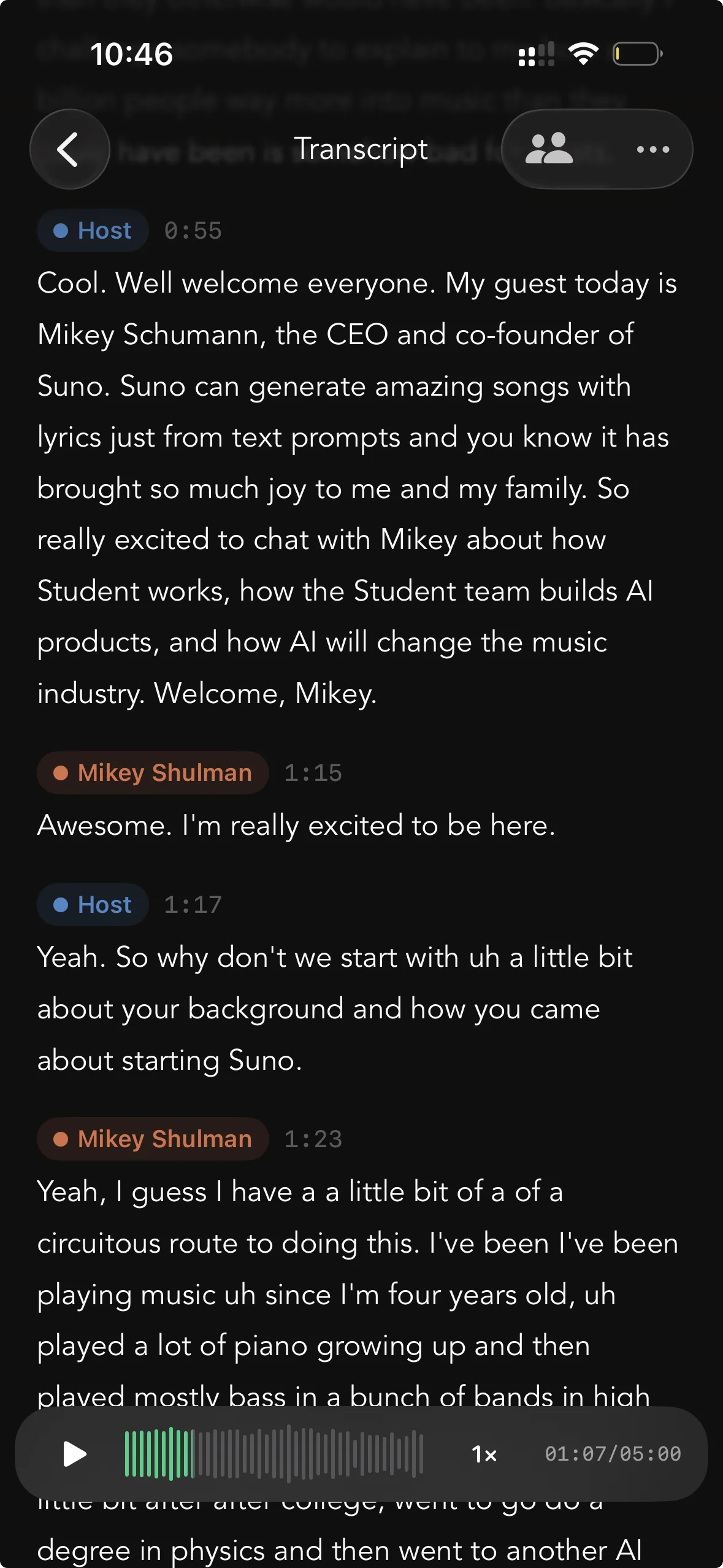
Speaker labels on Mac and iPhone. Tapping a sentence moves playback to that moment.
Labels start as Speaker 1 and Speaker 2; renaming one updates the whole transcript. Tapping any sentence moves audio playback to that exact moment, which makes it straightforward to check a quote against the original voice.
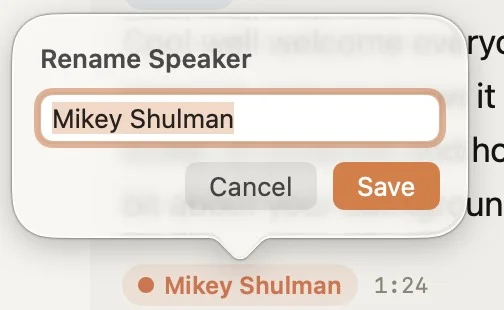
Renaming a speaker updates every paragraph in the note.
Meeting recordings run speaker identification automatically when the call ends (this can be turned off in Settings). The labels survive export: Copy Transcript with Speakers carries them to the clipboard, and SRT and VTT files carry them into subtitles.
Diarization operates on voices rather than words, so it behaves the same across the 100+ languages the app transcribes.
A 19 MB model on the Neural Engine
Diarization answers "who spoke when" in three steps. Cut the audio into voiced segments. Turn each segment into a voiceprint — a compact vector describing the voice itself, not the words. Then cluster the voiceprints: segments that land in the same cluster get the same label.
Whisper Notes uses pyannote's community-1 pipeline, converted to Core ML so both stages run on the Neural Engine. The one-time download is 19 MB, and a 5.7-minute conversation takes 2 to 4 seconds on an M-series Mac.
Audio → voiced segments → voiceprints → clusters → labels
Every step runs on the device.
This matters more for diarization than for transcription. A voiceprint is biometric — it identifies a person the way a fingerprint does. Running the pipeline locally means voiceprints of you, your colleagues, and your interview subjects are computed, clustered, and discarded on the device. They are never sent anywhere.
What we measured
We keep a fixed two-file benchmark for diarization. Ground truth comes from a cloud ASR-and-diarization service (ElevenLabs), hand-checked; scoring assigns every 10 milliseconds of speech to a speaker and takes the best mapping between output and reference. Two files is a small benchmark, and we treat the numbers as indicative rather than definitive.
The first file represents the common case: a five-minute English podcast, two speakers with clearly different voices. Most interviews, podcasts, and one-on-one meetings look like this.
| Two-speaker English podcast (5 min) | Result |
|---|---|
| Frame-level attribution (10 ms resolution) | 96.7% |
| Sentence-level accuracy (what you read) | 99.1% |
| Processing time, M-series Neural Engine | 2–4 s |
The residual 0.9% is three boundary wobbles totaling 3.4 seconds, which is at the resolution of the reference itself. On material like this, the on-device result matches the cloud service that produced our ground truth.
The hard case
The second file is deliberately difficult: two similar male voices in a reverberant room, with a host who interjects 19 times — 2.3 seconds at a time on average. The guest speaks for 272 seconds; the host, 43. This is the acoustic profile that breaks diarizers in any language: alike voices trading short turns.
Automatic clustering collapses here. The two voiceprints sit close enough that the algorithm merges them and assigns nearly the whole conversation to one label. The recording happens to be a Chinese interview show, which let us test the obvious hypothesis — that a language-specialized model would do better. We ran two speaker models trained specifically on Chinese speech through a CPU pipeline:
| Model | English podcast | Hard case* | Time (5.7 min audio) |
|---|---|---|---|
| pyannote community-1 (ours, Neural Engine) | 96.7% | 81–82% | 2–4 s |
| CAM++ (Chinese-trained, CPU) | 93.9% | 81.2% | 36–103 s |
| ERes2NetV2 (Chinese-trained, CPU) | — | 80.5% | 220–290 s |
* Frame-level attribution on the difficult file with the speaker count specified. Without it, every model collapses toward a single speaker.
Both collapse in the same way, at 10 to 100 times the compute. The difficulty is acoustic, not linguistic — the limit is what current voice embeddings can distinguish, in any language.
That ruled out the obvious fix and pointed to a different one: give the pipeline a fact it cannot infer — the number of people in the room. With the count specified (a menu option, 2 to 6), the hard file goes from collapse to 89% sentence-level accuracy. Auto-detect remains the default, since it's correct on typical material.
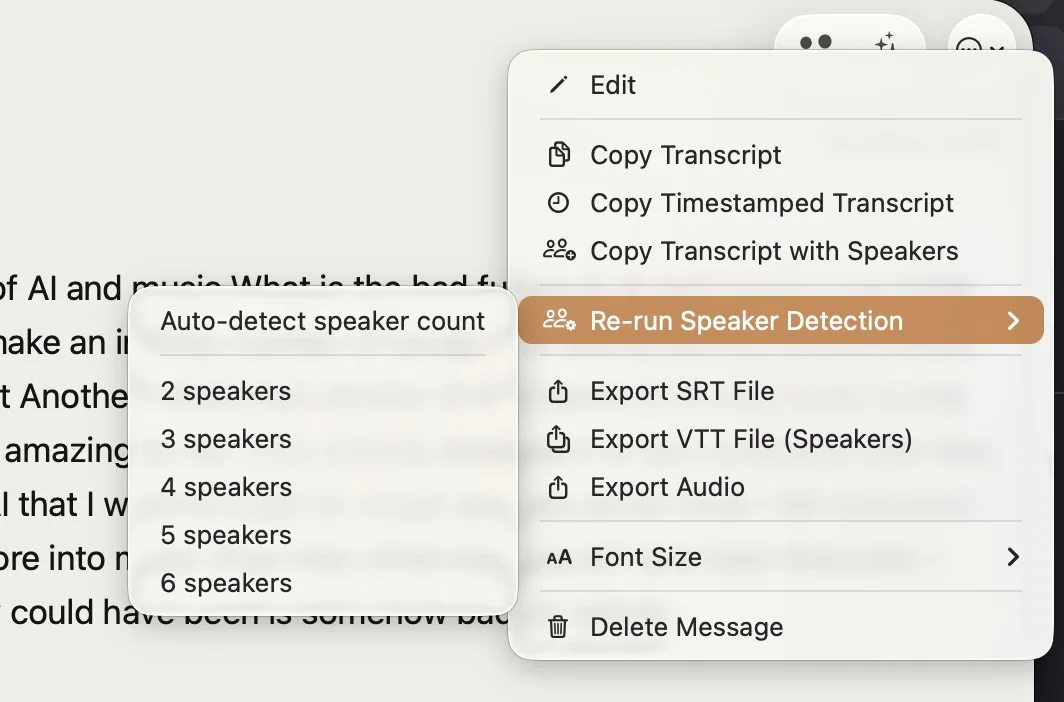
Re-running speaker detection with an exact count. The same menu exports SRT and VTT with speaker labels.
Refining short interjections
With the count fixed, roughly half of the remaining errors sat in interjections under three seconds. A two-second clip gives the embedding model very little signal, and in fast exchanges its voiceprint absorbs some of the neighboring speaker.
So after clustering, the pipeline re-examines every sentence shorter than 3.5 seconds: it recomputes the voiceprint with a mask over exactly that sentence's frames, compares it against each speaker's anchor — the average of their longest turns — and flips the label only when the margin is decisive. This reuses the existing model; there is no additional download.
| End-to-end sentence accuracy | Before refinement | After |
|---|---|---|
| Hard case (speaker count given) | 89.0% | 94.8% |
| English podcast (auto) | 98.5% | 99.1% |
The margin threshold is conservative: across both files, the refiner flipped 21 labels and introduced no new errors.
Limitations
• Labels appear after a recording ends, not during a call. For live captions with speaker names while a meeting is still running, a cloud service such as Otter or Notta is the right tool.
• Overlapping speech gets a single label per sentence.
• Similar voices remain hard. 94.8% on our difficult file is the current ceiling with a speaker-count hint, not a solved problem.
Availability
Speaker identification is included in the one-time purchase ($7.99 on iPhone, $14 on Mac), alongside the three transcription engines: Parakeet (Moondream's Parakeet Ultra, post-trained from NVIDIA Parakeet V3), Whisper (Large V3 Turbo on Mac, Small on iPhone) and SenseVoice. There is no separate tier and no account.
• iPhone: App Store, version 1.8.5 or later.
• Mac App Store: included in the current version.
• Mac direct download (DMG): version 1.5.1 or later from our website, with a free trial.
 Download for iOS
For how meeting recording itself works, see our post on offline meeting transcription.