
Superwhisper vs Whisper Notes: A Technical Comparison
Pricing, speech models, permissions, and architecture — a detailed comparison of two offline transcription apps for Mac.

Superwhisper was a pioneer. It showed the Mac community what was possible: run OpenAI's Whisper model locally on Apple Silicon, transcribe speech without sending audio to the cloud.
For a while it was exactly what a lot of us wanted: a fast local transcription utility that did one job. Its recent direction has been toward an "AI assistant" instead, with context awareness, cloud sync and modes that interpret what you said rather than write it down. That is a coherent product with real users; it is just a different product from the one people originally installed.
With this pivot came three structural changes:
• The Subscription: Paying monthly rent for models that run on your own hardware.
• The Permission: Input Monitoring that can observe all your keystrokes.
• The Account: Mandatory login for software that works entirely offline.
This page isn't about bugs or temporary issues. It's about architectural philosophy.
Whisper Notes exists as an alternative for those who preferred what Superwhisper used to be: a reliable, offline utility that does one thing well.Quick Comparison: Whisper Notes vs Superwhisper
| Feature | Whisper Notes | Superwhisper |
|---|---|---|
| Price | $14 once | $8.49/mo or $250 lifetime |
| macOS Permission | Accessibility only | Input Monitoring |
| Account Required | No | Yes |
| iOS App | Included with the App Store purchase | Included in subscription |
| Speech Models | Whisper + Parakeet V3 + SenseVoice | Whisper (+ distil variants) |
| 100% Offline | Yes | Optional (hybrid) |
| Local AI Editing | Yes (Gemma 4, on-device) | Yes (cloud-dependent) |
| AI Context Features | No | Yes |
Speech Models: Three Engines vs One
This is the technical difference that matters most for daily use.
Superwhisper offers Whisper and its distilled variants. Whisper Notes ships three independent speech engines, each optimized for different scenarios:
Speech Model Comparison
| Model | Speed | WER | Best For |
|---|---|---|---|
| Whisper Large V3 Turbo | 10–15× realtime | 7.83% | 100+ languages — the multilingual option |
| Parakeet V3 | ~60× realtime | 6.32% | English — fastest, lowest error rate |
| SenseVoice | 52× realtime | — | Chinese, Japanese, Korean + Cantonese |
The Best Local Model in Superwhisper — and in Whisper Notes
If you're searching for the best local model in Superwhisper, the strongest options are the larger Whisper variants and Nvidia Parakeet, but unlimited use of local AI models requires the Pro plan ($8.49/month or the $249.99 lifetime license).
In Whisper Notes, the best local model for English is Parakeet V3: 6.32% WER on the Open ASR Leaderboard, against 7.83% for Whisper Large V3 Turbo. On our M5 Air it runs at roughly 60× realtime. When your language is outside Parakeet's 25, Whisper Large V3 Turbo is the multilingual option that reaches 100+ languages. Both are included in the $14 one-time purchase and run entirely on your device's Neural Engine, with no Pro tier required to unlock them.
Why three models matter:Parakeet V3 (by NVIDIA) is the most accurate English model in the lineup: 6.32% WER against 7.83% for Whisper Large V3 Turbo on the Open ASR Leaderboard. It is also the fastest. On our M5 Air a 17.5-minute meeting came back in 16.7 seconds, roughly 60× realtime.
SenseVoice is purpose-built for CJK languages — Chinese, Japanese, Korean, Cantonese — and you pick it from the model list when you work in those languages. It runs at 52× realtime or better; in our M4 Pro test a 27-minute Chinese podcast finished in 13.83 seconds.
These aren't cloud models behind a paywall. They run entirely on your Mac's Neural Engine, included in the $14 purchase.
Superwhisper offers Whisper variants only. For English-heavy or CJK workflows, the model selection gap is significant.
The Input Monitoring Question
This is the permission that makes privacy-conscious users pause.
Superwhisper requests Input Monitoring access on macOS. This permission allows an application to receive all keyboard and mouse events system-wide, regardless of which app is in focus.
That is the permission class used by accessibility tools and automation software, and it is a genuinely broad grant.
Superwhisper needs it for a reason. Its AI Context features read what is on screen and adapt to the application you are in, and observing your environment is not possible without observing your input. To observe your environment, they need observation permissions.The architectural trade-off:You get context-aware transcription. They get the technical capability to see everything you type, including passwords, private messages, and confidential documents.
The permission itself is architecturally capable of surveillance.
Permission Architecture
Input Monitoring (Superwhisper):
Can receive all keyboard events across all applications. Required for "context awareness."
Accessibility (Whisper Notes):
Can inject text at cursor position. Cannot read your keystrokes or observe other apps. Output only.

Whisper Notes uses Accessibility permission exclusively. We can insert text where your cursor is, which is output. We cannot read what you type or what's on your screen.
Our position: We chose not to be "smart" because smart requires watching. A transcription tool doesn't need to know your passwords exist. It just needs to type what you said.The Hardware Rent Problem
This is the pricing decision that frustrates power users.
Superwhisper has moved local AI models, including Nvidia Parakeet and Whisper variants, behind a subscription paywall. Users are now paying monthly fees to unlock processing that runs entirely on their own devices.
Let's be precise about what's happening:• Your M3 or M4 MacBook has a Neural Engine.
• Apple designed this silicon specifically for on-device machine learning.
• The Whisper model weights are open-source, released by OpenAI.
• The electricity is yours too.
So it is worth asking what the recurring charge is buying.
Superwhisper Pricing in 2026: Monthly vs Lifetime
Superwhisper pricing in 2026: Pro costs $8.49/month, $84.99/year (their yearly toggle is labeled "2 months free"), or a $249.99 one-time lifetime license, plus an Enterprise tier with custom pricing. There is a permanent free tier, and you can try Pro features for 15 minutes of recording, after which free-tier features stay available, but unlimited use of local and cloud AI models sits behind the Pro paywall. To their credit: all plans come with a 30-day no-questions-asked refund, and one Pro license activates on unlimited devices. (There's no standalone pricing page on superwhisper.com; these figures come from the pricing section on their homepage and their live checkout, so check their site for current pricing.)
Whisper Notes takes the opposite approach: one-time pricing with no subscription. One App Store purchase includes the iPhone/iPad app and the Mac App Store version. The direct-download Mac DMG is free for 5,000 words a week and is sold separately as a one-time license.
Here's how that difference compounds over time:
| Time Period | Whisper Notes | Superwhisper (Monthly) | Superwhisper (Lifetime) |
|---|---|---|---|
| Year 1 | $14 | $101.88 | $250 |
| Year 3 | $14 | $305.64 | $250 |
| Year 5 | $14 | $509.40 | $250 |
If Superwhisper's cloud features, meaning sync, AI assistants and external APIs, provide value to you, subscription pricing is defensible. You're paying for their infrastructure.
Putting the local models behind the same subscription is the part worth thinking about, because that compute happens on hardware you already bought.
Whisper Notes is $14 once because we do not operate cloud infrastructure. Your Neural Engine does the work and we wrote the app around it. That's a one-time transaction, not an ongoing relationship.
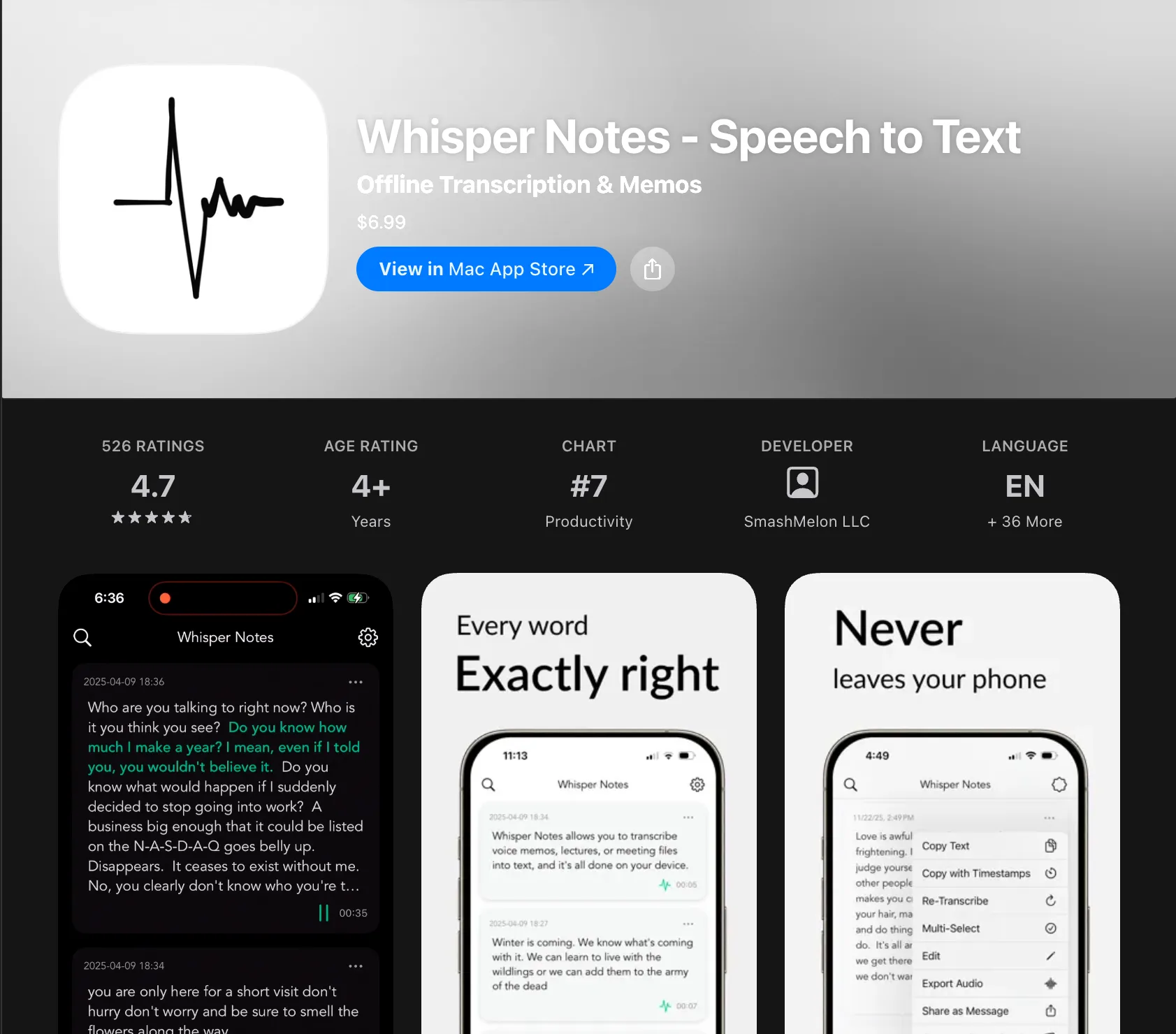
What happens when a recording goes wrong?
Every recorder eventually meets a crash, a dead battery or a phone call at the wrong moment, and what happens next is a design decision rather than luck.
Whisper Notes writes audio to disk every few seconds while you record. If the app dies twenty minutes in, you lose at most the last few seconds, because the previous twenty minutes are already on the drive rather than in memory waiting to be saved. We mention it here not as a feature but because it is the kind of thing you only find out about on the day it matters.
The data path is deliberately linear: record, write to disk continuously, run the model, show text. There is no sync step to fail, no context detection to misfire and no decision about whether this particular recording should go to a server, because none of those stages exist.
That simplicity is also the limitation. Whisper Notes does not read your screen, does not sync between devices and has no mode that rewrites what you said into a different register. Superwhisper does all three, and if you want them, the added machinery is what delivers them.The Account Requirement
Superwhisper requires account creation to use the software—even for local transcription on your own device.
This serves their business model: subscription management, cloud sync, and usage analytics require user identity.
But for those who simply want local speech-to-text, it's friction without benefit.
Whisper Notes has no account system:• Download the app
• Grant Accessibility permission
• Start speaking
No email. No password. No identity verification.
This isn't just about convenience. It's about data minimization:
• Every account is another password to manage
• Every database entry is another breach target
• Every user identity is another data point to protect
For software that runs entirely on your device, we see no justification for knowing who you are. The Whisper model doesn't need your email to convert speech to text.
When Superwhisper Is Right for You
We're not claiming Whisper Notes is universally better. Superwhisper made architectural choices that serve specific use cases well.
Choose Superwhisper if:• You want AI Context modes that understand your screen and adapt output
• You need cloud sync between multiple Macs
• You value the "assistant" experience over raw transcription
• The subscription or $250 lifetime price fits your workflow value
• Input Monitoring permission doesn't concern you
• You want a choice of speech models — Whisper, Parakeet V3 (fastest English), and SenseVoice (best for Chinese/Japanese/Korean/Cantonese)
• You want local AI editing powered by Gemma 4 — punctuation cleanup, filler word removal, auto-generated titles, all on-device
• You want minimal system permissions (Accessibility only)
• You prefer to pay once ($14) and own the software
• You don't want to create an account
• You also use iPhone (included with the Mac App Store version in one App Store purchase)
Superwhisper is building toward a future where AI understands your entire computing context. That's ambitious and some users want it.
Whisper Notes is building the opposite: a utility that does exactly one thing, knows nothing about your computer beyond the microphone input, and works the same way every time.
Boring software for people who value predictability.
The Case for Boring Software
"Boring" isn't pejorative in software engineering. Boring means predictable. Boring means fewer surprises.
Boring software:
• Doesn't need an account
• Doesn't require network connectivity for core functions
• Doesn't request permissions beyond what's strictly necessary
• Doesn't evolve into something you didn't ask for
Superwhisper started as boring software. A local transcription utility. Simple, fast, reliable.
Then it grew ambitions. It wanted to be an AI assistant, to understand context, to sync across clouds, to interpret your words.
Some users followed that evolution happily. Others miss what it was.
Whisper Notes is intentionally boring. We do one thing: convert speech to text using your device's Neural Engine. We don't watch your screen. We don't sync your data. We don't interpret your intent. We just transcribe.
One-time pricing. No account. No Input Monitoring. No subscriptions. No ambitions beyond reliability.
For those who preferred the original idea of what a local transcription tool was for, this is that app.
Frequently Asked Questions
Why does Superwhisper require Input Monitoring permission?
Superwhisper uses Input Monitoring for 'context awareness'—understanding what's on your screen to adapt AI behavior. This permission allows reading all keystrokes across all applications. Whisper Notes uses only Accessibility permission, which can insert text but cannot observe your input or other apps.
Why did Superwhisper move to subscription pricing?
Superwhisper operates cloud infrastructure for sync, accounts, and some AI features. Subscriptions fund that infrastructure. However, they also placed local models (that run on your hardware) behind the same paywall—which is the pricing decision users question most.
Is Whisper Notes as accurate as Superwhisper?
Whisper Notes offers three speech models in every version. Parakeet V3 has a lower word error rate (6.32%) than Whisper Large V3 Turbo (7.83%) on the Open ASR Leaderboard English benchmark, and on our M5 Air it runs at roughly 60× realtime. For Chinese, Japanese, Korean, and Cantonese you select SenseVoice, which is purpose-built for those languages and runs at 52× realtime or better. Superwhisper offers Whisper variants only, so if you want a non-Whisper English model or a dedicated CJK model without a subscription, Whisper Notes is the one to look at.
Which speech models does Whisper Notes support?
Three models in every version: Parakeet V3 by NVIDIA (the Mac default — fastest English, lowest error rate, 25 European languages), Whisper Large V3 Turbo (the multilingual option, 100+ languages), and SenseVoice (Chinese, Japanese, Korean, and Cantonese — 52× realtime or better via Apple MLX). You choose the model; all three run locally on your device. The Mac direct download adds a fourth from version 1.6.0, Qwen3-ASR 1.7B (Beta), covering 30 languages, with Apple silicon, macOS 15 and 16 GB of memory recommended; it is not in the Mac App Store version or on iPhone.
What is the best local model if I am comparing Superwhisper and Whisper Notes?
For English, Parakeet V3 is usually the best local model in Whisper Notes: 6.32% WER on the Open ASR Leaderboard, and roughly 60× realtime on our M5 Air. If your language is outside Parakeet's 25 European languages, switch to Whisper Large V3 Turbo, which reaches 100+. For Chinese, Japanese, Korean, and Cantonese, select SenseVoice.
Is Superwhisper local?
Superwhisper can run local Whisper models, but its newer direction also includes accounts, sync, AI assistant features, and permission requirements that make it a hybrid product. Whisper Notes is local-first by design: transcription, cleanup, and transcript questions run on device without cloud uploads.
Does Superwhisper have a lifetime deal?
Superwhisper offers a lifetime option listed at $250. Whisper Notes uses simpler one-time pricing: one App Store purchase includes iPhone/iPad and the Mac App Store version, while the direct-download Mac DMG has a free trial and is sold separately.
How much does Whisper Notes cost compared to Superwhisper?
Whisper Notes uses one-time pricing: one App Store purchase includes iPhone/iPad and the Mac App Store version, while the direct-download DMG is sold separately. Superwhisper is $8.49/month or $250 lifetime; one license covers its Mac, Windows, and iOS apps.
Can Whisper Notes sync between devices?
No, by design. We don't operate cloud servers, so there's nothing to sync through. Your recordings stay on the device where you created them. This eliminates sync failures and ensures your voice data never leaves your hardware. Use AirDrop or manual export if needed.
Why doesn't Whisper Notes require an account?
Local transcription has no technical reason to require identity verification. If we don't need your email to make the software work, we don't ask for it. No account means no password to manage, no database entry to breach.
What's the difference between Input Monitoring and Accessibility permissions?
Input Monitoring can receive all keyboard/mouse events system-wide (observation). Accessibility can inject text and perform UI automation (action). Whisper Notes uses Accessibility to type transcribed text at your cursor—output only, no observation of what you type.
Three Speech Models. $14 Once.
Whisper + Parakeet V3 + SenseVoice. Local AI editing. No Input Monitoring. No subscriptions. No accounts.
 Download Whisper Notes