
Is there a transcription app for iPhone that works offline? Whisper Notes records or imports audio on your iPhone or iPad and transcribes it on the device, with no internet connection and no per-minute fees. It costs $7.99 once on the App Store.
- Record in the app or on your Apple Watch, or import from Voice Memos, Files, WhatsApp and other apps.
- A live transcript while you record, in the 25 European languages Parakeet covers. Up to 24 hours per recording or file.
- Speaker labels for up to 8 speakers, and summaries with Apple Intelligence on iPhones that support it.
Which speech models run on iPhone?
| Model | Languages | Download | Requires |
|---|---|---|---|
| Parakeet (listed as Parakeet V3) | 25 European languages | Built in, the default | — |
| SenseVoice | Chinese, Cantonese, Japanese, Korean and English | about 450 MB | An A14 chip or later (iPhone 12 or later) |
| Whisper Small (listed as Whisper) | 100 languages | about 400 MB | — |
| Apple Speech | The languages Apple provides | Language pack, downloaded by iOS | iOS 26 on a supported iPhone |
Every model runs on the device. Whisper Large V3 Turbo and Qwen3-ASR 1.7B are Mac only. Language lists: Supported Languages.
The built-in Parakeet is Moondream's Parakeet Ultra, the same model the Mac app uses: Parakeet in Whisper Notes. Which of these is most accurate depends on your language:
| Language | Most accurate on iPhone | Error rate |
|---|---|---|
| English | Parakeet | 5.89% |
| German | Parakeet | 3.72% |
| Dutch | Parakeet | 6.91% |
| Japanese | Apple Speech (iOS 26); otherwise SenseVoice Small | 6.36%; 6.78% |
| Polish | Parakeet | 6.34% |
| Russian | Parakeet | 5.72% |
| French | Parakeet | 4.95% |
| Spanish | Parakeet | 3.77% |
| Korean | Apple Speech (iOS 26); otherwise Whisper Small | 4.31%; 7.30% |
| Ukrainian | Parakeet | 5.11% |
| Chinese (Mandarin) | SenseVoice Small | 7.69% |
Lowest error rate among the models on iPhone: character error rate for Chinese, Japanese and Korean, word error rate for the rest. Parakeet with automatic language detection (Parakeet in Whisper Notes); the others as on Which Model for Your Language?
To switch, open Settings → Transcription Models and tap a model.
How do I transcribe a recording on iPhone?
- Tap the record button. In the 25 European languages Parakeet covers, the transcript appears on screen while you record; if you lock the phone, it catches up when you come back. Other languages, such as Chinese, Japanese or Korean, are transcribed when you stop.
- For a file, tap the folder button next to the record button and pick one or more audio or video files. Or, in Voice Memos, WhatsApp, Files or Photos, tap Share and choose Whisper Notes; up to 20 files at a time.
- Keep Whisper Notes open until the transcript is done. Files waiting their turn show "Waiting to transcribe…".
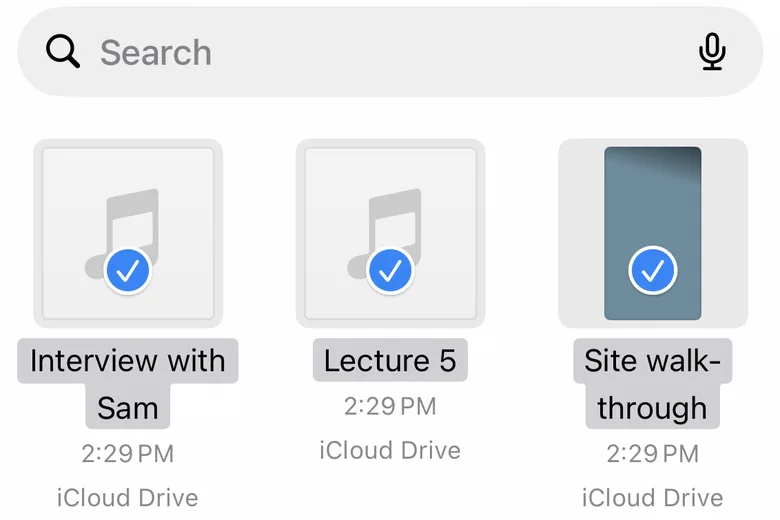
Picking recordings in Files from Whisper Notes
Whisper Notes opens MP3, M4A, WAV, AAC, FLAC, OGG, Opus and other audio files, and MOV, MP4 and other videos.
How do I start recording quickly?
- Lock Screen widget: tap Quick Record to open Whisper Notes and start recording.
- Control Center: the Record control opens the app and starts or stops a recording.
- Action Button: set it to the Shortcut Start Recording (Whisper Notes). Back Tap and Siri work too.
- Live Activity: while you record, the Lock Screen and the Dynamic Island show the elapsed time with Pause and Stop buttons.
- Apple Watch: one tap on the watch starts a recording. It is sent to your iPhone when the phone is nearby and transcribed when you open Whisper Notes. The watch only records; the iPhone transcribes.
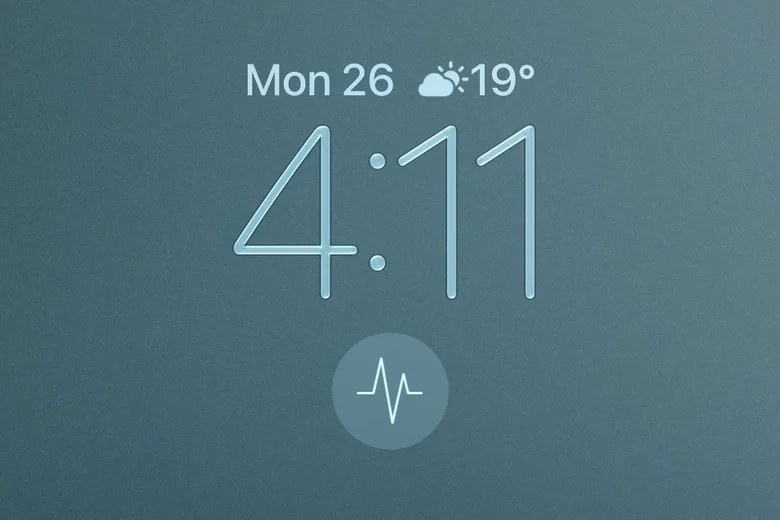
The Quick Record widget on the Lock Screen
In the Shortcuts app, Whisper Notes adds actions such as Start Recording, Stop & Get Transcription, Transcribe Audio and Last Transcription.
What can I do with a transcript?
- Detect Speakers: label who said what, for up to 8 speakers, and rename them. If the count is off, run it again with the number of speakers. The speaker model downloads once, about 85 MB, the first time.
- Summarize: a summary written by Apple Intelligence on the iPhone, on iOS 26 devices that support it. It runs when you ask, not automatically.
- Export: TXT, TXT with timestamps, Markdown, SRT or the audio, plus VTT and TXT with speaker names once speakers are detected. Auto-export Transcripts saves a text file of every new transcript to a folder you choose, such as iCloud Drive.
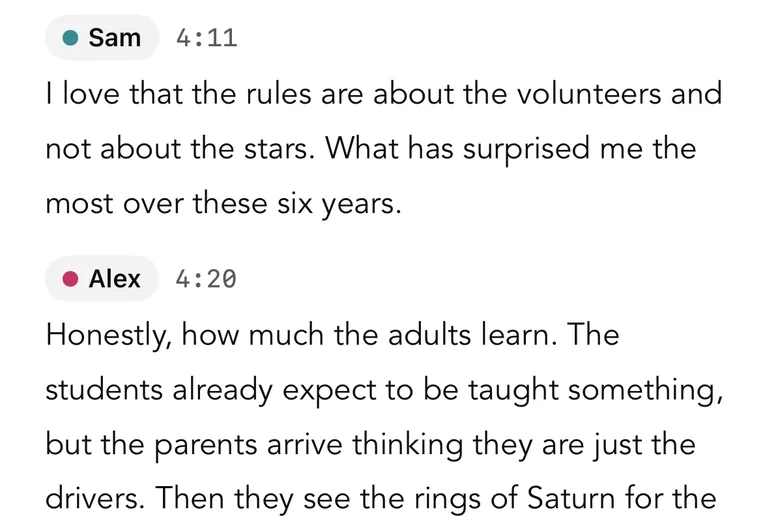
Speaker labels in a transcript
What does it cost?
| Whisper Notes on iPhone | |
|---|---|
| Price | $7.99 once on the App Store |
| Subscription or per-minute fees | None |
| Account | Not needed |
| Also includes | The Apple Watch app and the Mac App Store version, with the same purchase |
| Requires | iPhone 12 or later, or iPad, with iOS 18 |
The App Store shows the price in your local currency. The Mac app from our website is sold separately: 5,000 words a week free, then $14 once.
When is another app a better fit?
- A live transcript in Chinese, Japanese, Korean or another language outside the 25: Whisper Notes on iPhone transcribes those after you stop. Apple's Notes app shows the text as it records, in the languages Apple supports.
- Transcribing on the Apple Watch itself: the Whisper Notes watch app records; the transcript is made on the iPhone.
- Phone calls: iOS doesn't let apps record calls. Use the call recording built into iOS, which saves to Notes.
- Shared notes for a team: Otter.ai or Notta upload recordings to their servers and sync them across a team.
If you want recordings and transcripts to stay on your iPhone, with no subscription and no limit by the minute, Whisper Notes does that.
Frequently Asked Questions
Does Whisper Notes transcribe while I record on iPhone?
Yes, in the 25 European languages Parakeet covers: the transcript appears on screen while you record, and if you lock the phone it catches up when you come back. Other languages, such as Chinese, Japanese or Korean, are transcribed when you stop. Everything runs on the device, without an internet connection.
How do I transcribe a voice memo on iPhone?
Open the recording in Voice Memos, tap Share and choose Whisper Notes. The transcript appears in Whisper Notes, and the recording never leaves your iPhone.
Can I record on Apple Watch?
Yes. The Apple Watch app comes with the iPhone app, in the same purchase. One tap on the watch starts a recording; it is sent to your iPhone when the phone is nearby and transcribed when you open Whisper Notes. The watch itself does not transcribe.
How long can a recording be?
Up to 24 hours per recording or imported file, with no per-minute fees.
Does it work without internet?
Yes. Parakeet is built in, so a new install transcribes offline right away. The internet is only used once to download Whisper, SenseVoice or the speaker model if you choose them.
 Download for iOS