
Offline Transcription:Your Data Stays Yours.
Updated August 24, 2026
Run OpenAI's Whisper model entirely on your iPhone or Mac. No uploads, no waiting, no subscriptions.
Why It's Safer & Faster
Cloud transcription means your audio travels through the internet, gets processed on someone else's computers, and stored according to their policies.
Offline transcription is the simpler arrangement: the model runs on your device, so the audio has nowhere to go and nothing to wait for. A 35-minute recording transcribes in about 18 seconds with Parakeet V3 on an M4 Pro. There's nothing to trust because there's nowhere for the data to go.
It also works everywhere: planes, remote areas, offices with restricted networks. Without an upload step there is nothing to wait for before the text appears.
One note before we start: this guide covers transcribing recorded audio — imported files, meetings, interviews, voice memos. If you want to dictate text into any app in real time instead, see our voice to text offline dictation guide.
How Your Data Flows
Your Voice → Internet → Their Servers → Text
Your Voice → Your Device → Text
How It Runs on Your Device
Think of it like the Photos app on your phone. It doesn't need to send your pictures to a server to let you look at them. Whisper Notes works the same way: it turns sound into text right where you are.
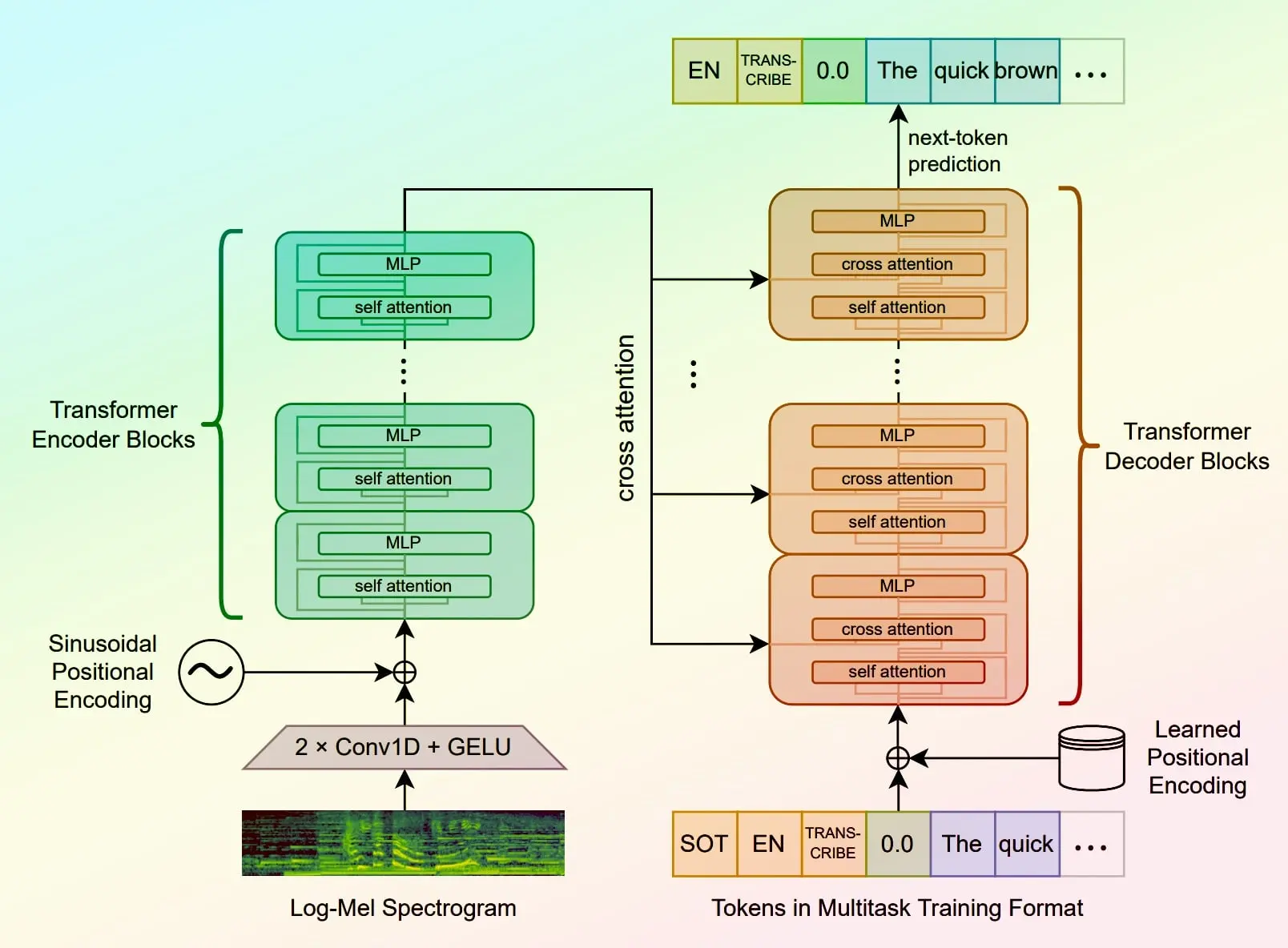
When you install Whisper Notes, the AI models download to your device. Mac and iPhone both run the same lineup: Parakeet V3 (the default — roughly 60× realtime on Apple Silicon, for English and 24 other European languages), Whisper Large-V3-Turbo (the multilingual option, 100+ languages), and SenseVoice (select it for Chinese, Japanese, Korean, and Cantonese).
- Tap record (or use the lock screen widget)
- Speak
- Stop
- Text appears
You can also import existing audio files. Meeting recordings, interviews and lectures all work, in any of the supported formats. Processing happens on the device, so there is no upload time to add.
What You Can Do
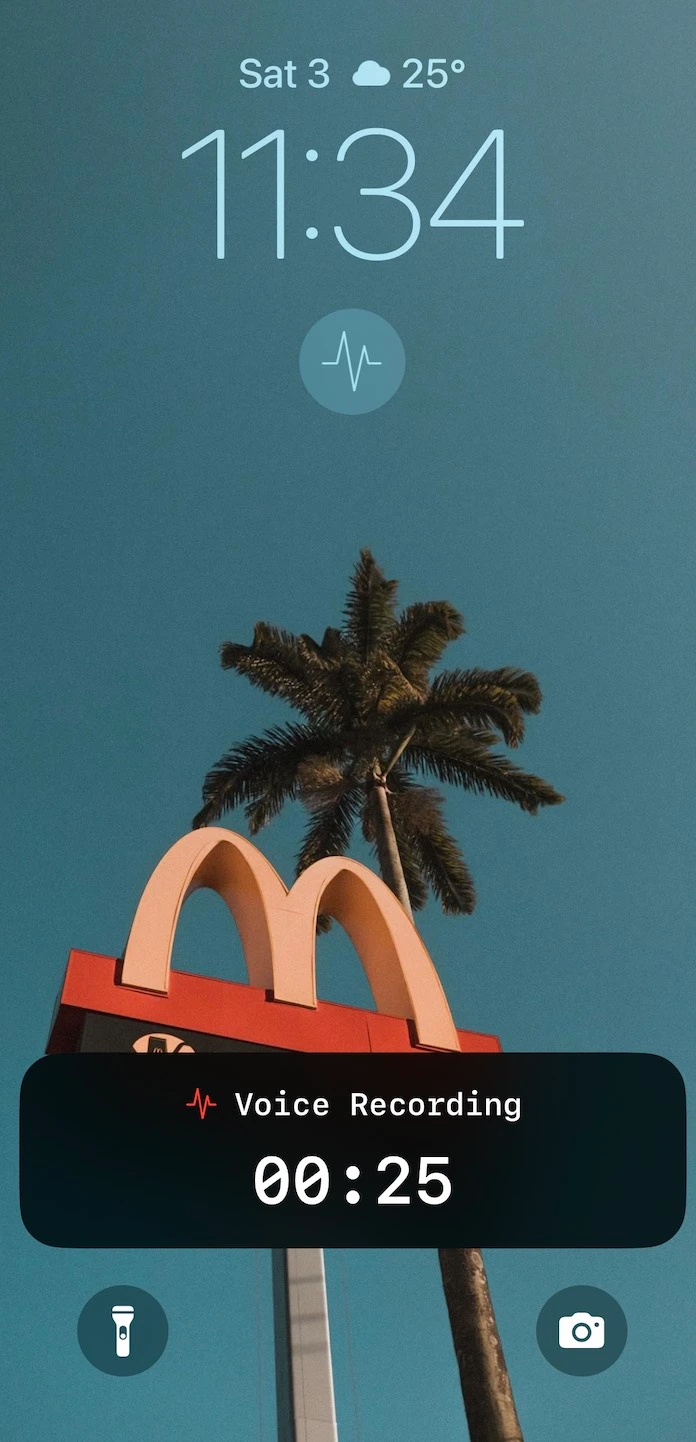
Lock screen recording. Tap the widget on the Lock Screen and recording starts. Useful for catching a thought before it goes.
Audio import. Import existing recordings. No file size limits. A three-hour recording is one file, not 180 metered minutes; at the 103× realtime measured for Parakeet V3 on an M4 Pro it finishes in about two minutes (arithmetic from the measured rate, not a separate test). No per-minute charge, no upload.
100+ languages. Auto-detects what you're speaking.
Custom vocabulary. Add names and technical terms the model might miss.
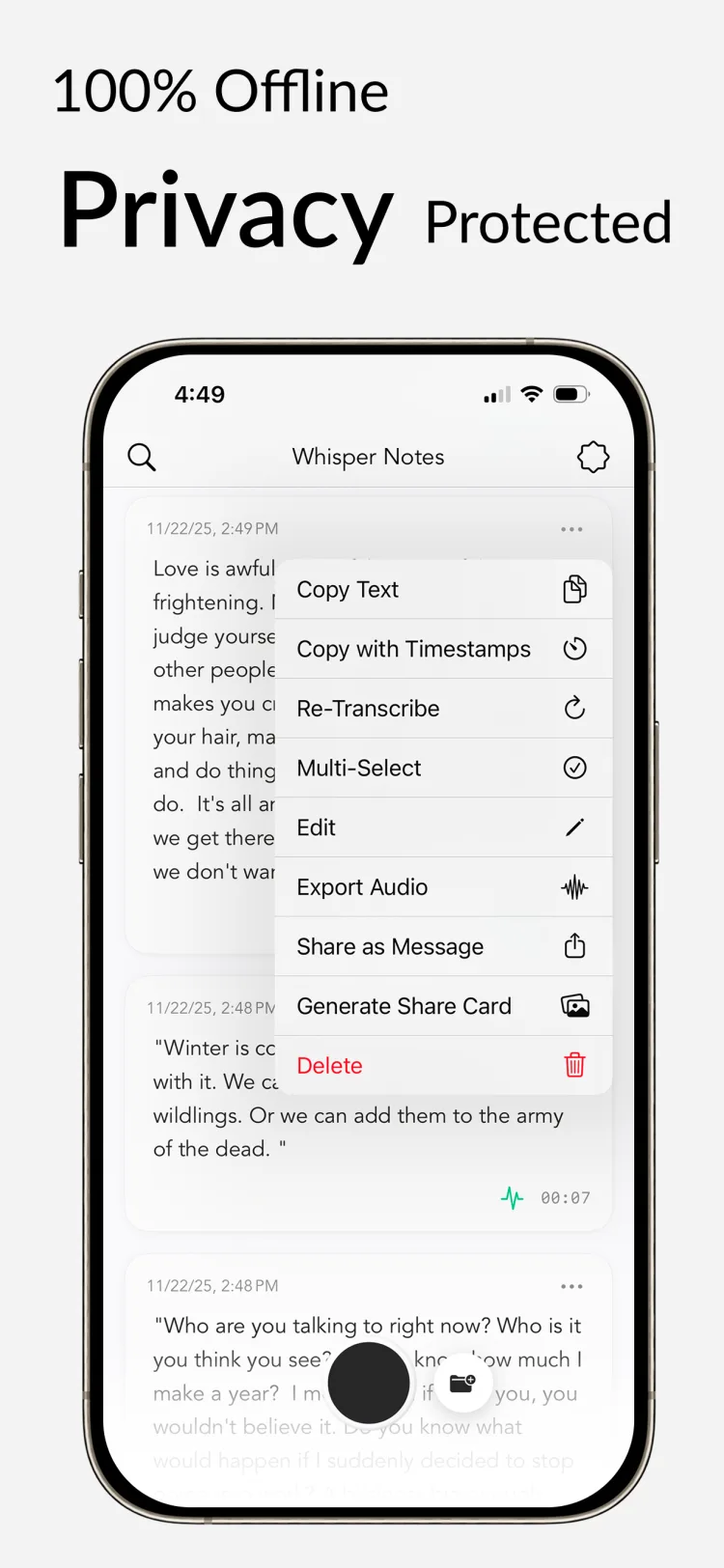
Timestamps. Click any paragraph to jump to that moment in the audio.
Is It Right for You?
Offline transcription fits if you:
- Want recordings to stay private
- Work in places without reliable internet
- Prefer one-time payment over subscriptions
- Transcribe sensitive conversations
- Want something that works without account setup
The Trade-offs
Offline processing has costs, and they are worth knowing before you commit:
Storage. The app is ~680MB. On Mac, the Whisper Large V3 Turbo model adds ~1.5GB for highest accuracy.
First launch. Takes 3-8 seconds to load the model. That happens once per session, and every transcription after it starts immediately.
Platform. iPhone and Mac only.
Speed. Faster than real-time. On iPhone, the App Store listing reports about 18 seconds for five minutes of audio with Parakeet on an iPhone 15, and about a minute with Whisper. An M-series Mac is much faster: on our M5 Air, Parakeet V3 ran at roughly 60× realtime.
These trade-offs are worth it for some people. For others, cloud transcription makes more sense. Both have their place.
Accept these trade-offs? Get the app for $7.99 →
Price & Details
Price: $7.99 on iPhone. Free for 5,000 words a week on Mac, then $14. No subscriptions.
Models: Parakeet V3 (default), Whisper Large-V3-Turbo, and SenseVoice — the same lineup on Mac and iPhone, all running locally on Apple silicon.
Privacy: No network requests during transcription. Verify with a network monitor.
Updates: Free.
Try it
$7.99 on iPhone. Free trial on Mac.
 Download Whisper Notes
One-time purchase • No account required • Free updates
Trusted by 70,000+ users