Typeless Alternative: Hold Fn, Speak. Your Voice Stays Local.
Typeless uploads your voice to cloud servers and charges $30/month. Whisper Notes runs offline on your Mac for $14 once.
Do you want what you said, or what you meant?
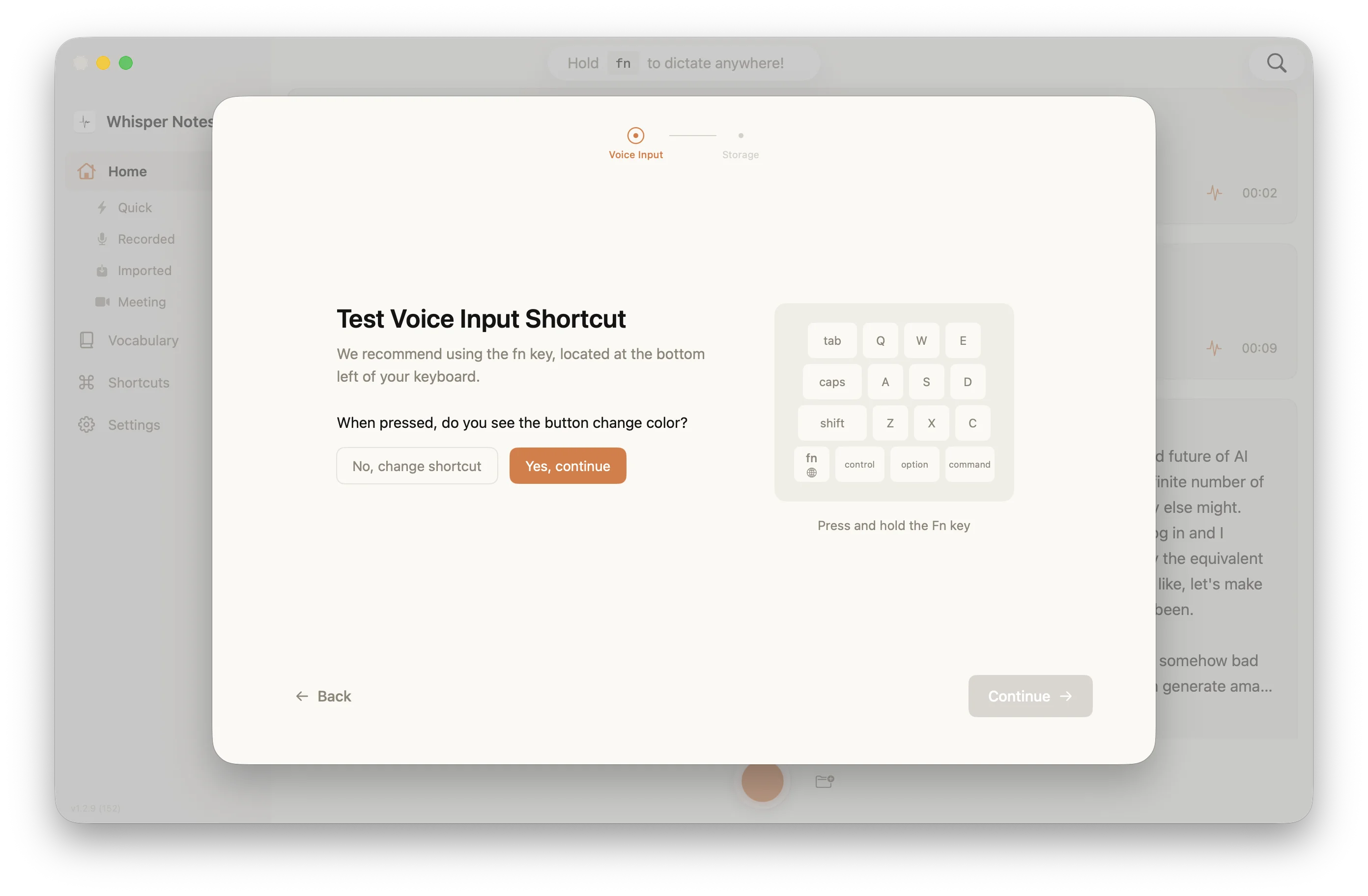
Typeless and Whisper Notes start the same way: hold Fn, speak, release, and text appears at the cursor. What arrives there is where they separate.
Typeless: Voice → Internet → Cloud LLM → Internet → rewritten text ($30/month)
Whisper Notes: Voice → Your Mac → transcript, cleaned on the machine ($14 once)
Where does your voice go when you press Fn?
Typeless is good software, and the flow is the reason people stay with it: hold Fn, speak, release, and what lands at the cursor is already tidy — the "um"s gone, the sentences straightened, the tone matched to the app you are typing into. For a Slack message that is usually the better output.
Three things about that flow are worth knowing before you rent it by the month.
1. The recording leaves the machine
Every press of Fn sends your audio to a server. Typeless states a zero-retention policy and we have no reason to doubt it — but a retention policy is a promise about what a company does with the file, not a statement that the file was never there. For a privileged conversation, a patient note or an unreleased product decision, that difference is the whole question.
Whisper Notes runs its models on your own Mac: Parakeet V3 by default, Whisper Large V3 Turbo when you need the wider language list, and SenseVoice when you select it for Chinese, Japanese, Korean or Cantonese. There is no upload path to trust, which you can check in about thirty seconds by turning on airplane mode and dictating a sentence.
2. Cloud polish costs a round trip
The Typeless path is speech recognition, then an upload, then the LLM rewrite, then the text coming back. Each step is fast; four of them in sequence are not.
| 20-second Voice Input (M4 Pro) | Processing Time |
|---|---|
| Typeless | 7-10 seconds |
| Whisper Notes | 2.5 seconds |
Both numbers above are our own runs on an M4 Pro, and a 20-second clip is mostly start-up rather than throughput. On longer audio the throughput shows: Parakeet V3, the default engine, gets through roughly 60 times realtime on Apple Silicon — a 17.5-minute meeting finished in 16.7 seconds on our M5 Air. Switch to the Whisper route, Large V3 Turbo with its wider language list, and expect roughly 11 times realtime instead.
The trade in one line: Typeless waits on a network to hand you polished prose; Whisper Notes stays local and hands you the recording, tidied but not rewritten.
3. It is a subscription
| Usage Period | Typeless | Whisper Notes |
|---|---|---|
| Year 1 | $360 | $14 |
| Year 3 | $1,080 | $14 |
| Year 5 | $1,800 | $14 |
Typeless runs cloud infrastructure — servers and third-party LLM APIs — and that costs money every month the service stays up. A subscription is the correct way to price it: the cost is recurring, so the price is too.
Whisper Notes has no backend, so the compute is your Mac's and the bill is one payment. That is not a better business model, it is a different one, and it is only cheaper if you keep the app for more than a few months.
What else is in the app besides Fn dictation?
Both apps do system-wide dictation on the Fn key, and that is where the overlap ends.
Audio file import: Drag in a recorded audio or video file — an interview, a meeting, a lecture — and Whisper Notes transcribes it. Typeless is built for live dictation and does not do this.
A choice of engine: Parakeet V3 is the default; on our own runs it is about five times faster than Whisper Large V3 Turbo on the same file, and it covers 25 European languages. Whisper Large V3 Turbo is the route to roughly 100 languages. SenseVoice is the one you select for Chinese, Japanese, Korean and Cantonese — it is a selection, not automatic routing. Typeless uses its own cloud models and there is nothing to pick.
Export formats: Text, SRT, VTT and JSON, so subtitles and structured output are covered. Typeless optimizes for one thing: text at the cursor.
If live dictation into Slack and email is the entire job, both apps do it and Typeless does the polishing part better. If files also pile up — recordings to transcribe, subtitles to produce, a model to choose per language — that is the part Whisper Notes was built around.
When is Typeless the better buy?
For some workflows Typeless is simply the better-fitting tool, and it is worth being specific about which ones.
Prose out of rough speech: If most of what you dictate is Slack messages and quick email, the cloud rewrite is worth the round trip. Say "so, um, like, I think we should maybe try this" and Typeless hands back "I think we should try this."
Windows: Whisper Notes is Mac and iOS only. On Windows, Typeless is one of the few dictation tools of this quality that covers both platforms, and no amount of preference for local processing changes that.
Formatting that follows the app: Typeless adjusts tone and structure to wherever you are typing — casual in Slack, more formal in Gmail. Doing that well takes a model larger than a laptop holds.
A free tier: Typeless gives 4,000 words a week at no cost, which is enough for light use. Whisper Notes gives 5,000 words a week on the Mac and then costs $14 once.
If you are comfortable with audio going to a server, and rewritten output is what you want from dictation, Typeless is the better-fitting tool and cross-platform besides. Whisper Notes is the one to buy when the audio has to stay on the machine, or when dictation is only part of what you need from the app.
What does Whisper Notes clean up, exactly?
Whisper Notes transcribes what you said. Typeless rewrites it, and for a message to a colleague the rewrite is usually what you wanted.
There is a cleanup pass on our side too, and it is worth being exact about where it stops. On the Mac direct download build, Gemma 4 runs on your machine: it removes filler words, fixes punctuation and gives the recording a title. It does not restructure your sentences and it does not change your register.
That boundary is deliberate rather than a missing feature. A model small enough to run on your laptop will not rewrite prose as well as a cloud pipeline built for it, and a confident rewrite of a clinical note is worse than an "um" left in.
So the transcript reads cleanly and still matches the recording. Those are two different products, and picking between them is easy once you know which output you need.
Choose Typeless if polished prose out of rough speech is the point of the tool, or you work on Windows.
Choose Whisper Notes if the transcript has to match the recording — depositions, clinical notes, interviews — or the audio must not leave the machine.
Common Questions
Does Typeless work offline?
No. Typeless requires internet for all processing. Whisper Notes works in Airplane Mode because the models run locally on your Mac or iPhone.
Is my voice really private with Whisper Notes?
Your audio never leaves your device. This is not a policy promise but a description of where the computation happens: the models run on your Mac, with no transcription server in the path. Typeless sends your audio to cloud servers every time you speak, under a zero-retention policy you have to take on trust.
Why is Typeless $30/month while Whisper Notes is $14 once?
Typeless runs cloud infrastructure — servers and third-party LLM APIs — and that costs money every month the service stays up, so a subscription is the correct way to price it. Whisper Notes has no backend: the processing happens on hardware you already own, so there is nothing recurring to fund. The one-time price is only the cheaper option if you keep the app for more than a few months.
Does Whisper Notes clean up filler words like Typeless?
Yes, and less than Typeless does. On the Mac direct download build, Gemma 4 runs on your machine and removes filler words, fixes punctuation and titles the recording. It does not restructure sentences or change your register — that is what the Typeless cloud pipeline does, so Typeless output reads more like written prose, and Whisper Notes output stays close to the recording. If you want rough speech turned into clean paragraphs, Typeless does that better. If the transcript has to match what was actually said, as with depositions, clinical notes and interviews, that is the case Whisper Notes is built for.
Which is faster, Typeless or Whisper Notes?
Whisper Notes has no network hop in the path, so it is faster on the same machine. On our own runs, Parakeet V3 — the default engine — transcribes at roughly 60x realtime on Apple Silicon: a 17.5-minute meeting finished in 16.7 seconds on an M5 Air. The Whisper Large V3 Turbo route, which covers around 100 languages, runs closer to 11x realtime. Typeless adds an internet round trip plus cloud LLM processing to whatever its recognition takes, and what you get for that wait is rewritten rather than transcribed text.
Can Whisper Notes import audio files like voice memos or meeting recordings?
Yes. Whisper Notes supports importing pre-recorded audio and video files. Drag in interviews, meetings or lectures, anything already captured. Typeless focuses on live Fn key dictation and does not support batch transcription of existing files.
Does Whisper Notes support Windows?
No. Whisper Notes is Mac and iOS only (Apple Silicon optimization). If you need Windows support, Typeless is one of the options that covers both Mac and Windows.
Does the Gemma 4 cleanup run in the cloud?
No. Gemma 4 runs on your Mac, the same as the transcription model, so punctuation cleanup, filler-word removal and the recording title all happen without a network request. Both are verifiable in airplane mode: dictate a sentence and watch the text arrive with the wifi off. Typeless needs the connection because the model doing its rewriting lives on its servers.
Try Local Processing
$14 once. Hold Fn, speak, release. Your voice never uploads. No subscriptions. No cloud servers.
 Download for iOS