
How do I record my Mac's system audio and transcribe it? In Whisper Notes for Mac, choose Start Meeting Recording from the menu bar. It records whatever your Mac is playing, from Zoom, Google Meet, Teams, a browser tab or any other app, and writes the transcript as it goes. Nothing leaves your Mac.
Two things to know first:
- It records sound only. No screen video is saved.
- macOS still asks for the Screen & System Audio Recording permission once. Apple uses that one permission for capturing other apps' sound, even when no picture is kept.
What does it record?
| Whisper Notes for Mac | |
|---|---|
| Sound from other apps | Recorded: Zoom, Google Meet, Teams, a browser tab, a video player |
| Your microphone | Recorded. Turn off Record microphone to keep only the Mac's sound |
| Whisper Notes' own sounds | Left out |
| The screen | Not recorded; no video is saved |
| Live transcript | Updated every 30 seconds while recording |
| What you get | One folder per recording, with the audio and a Markdown transcript |
The same in the Mac App Store version and the Mac app from our website.
Which versions can record system audio?
| iPhone | Mac App Store version | Mac app from our website | |
|---|---|---|---|
| Record other apps' sound | No | Yes | Yes |
| Requires | — | macOS 14.4 or later | macOS 14.4 or later |
| Price | — | $7.99 once, the same purchase as the iPhone app | 5,000 words a week free, then $14 once |
Green means available, amber means not available. iOS doesn't let any app capture another app's sound or a phone call.
Sound only, so why does macOS ask for Screen Recording?
Whisper Notes captures system audio through ScreenCaptureKit, Apple's framework for recording what a Mac plays and shows. macOS puts both behind one permission: Screen & System Audio Recording (called Screen Recording before macOS 15). Whisper Notes asks it for sound and keeps no picture, which is why Settings → Meeting Recording lists the permission as "Screen Recording (audio only)".
If the permission is off, Whisper Notes records your microphone only and says so: "System audio unavailable — recording microphone only".
Can I record system audio without that permission?
Not in Whisper Notes. Two things work without it:
- Import a file instead. If the meeting app can save its own recording, or you have the video file, import it. Importing needs no permission, and the result is the same transcript.
- Record through the microphone. Play the sound on the speakers and make an ordinary recording. It works, but room noise lowers accuracy.
How to record and transcribe system audio
- Install Whisper Notes for Mac and open it once.
- Click the Whisper Notes icon in the menu bar and choose Start Meeting Recording. The first time, turn on Whisper Notes in System Settings › Privacy & Security › Screen & System Audio Recording.
- Play the call, video or audio. The transcript fills in every 30 seconds.
- Choose Stop Meeting Recording, or Stop on the recording indicator. The full transcript is in the app; export it as TXT, Markdown, SRT or VTT.
To be asked automatically, open Settings → Meeting Recording. Enable Meeting Detection covers Zoom, Teams and Google Meet. Video sites (YouTube, Loom, Twitch) offers to record when a video site is playing in your browser; it is off until you turn it on.
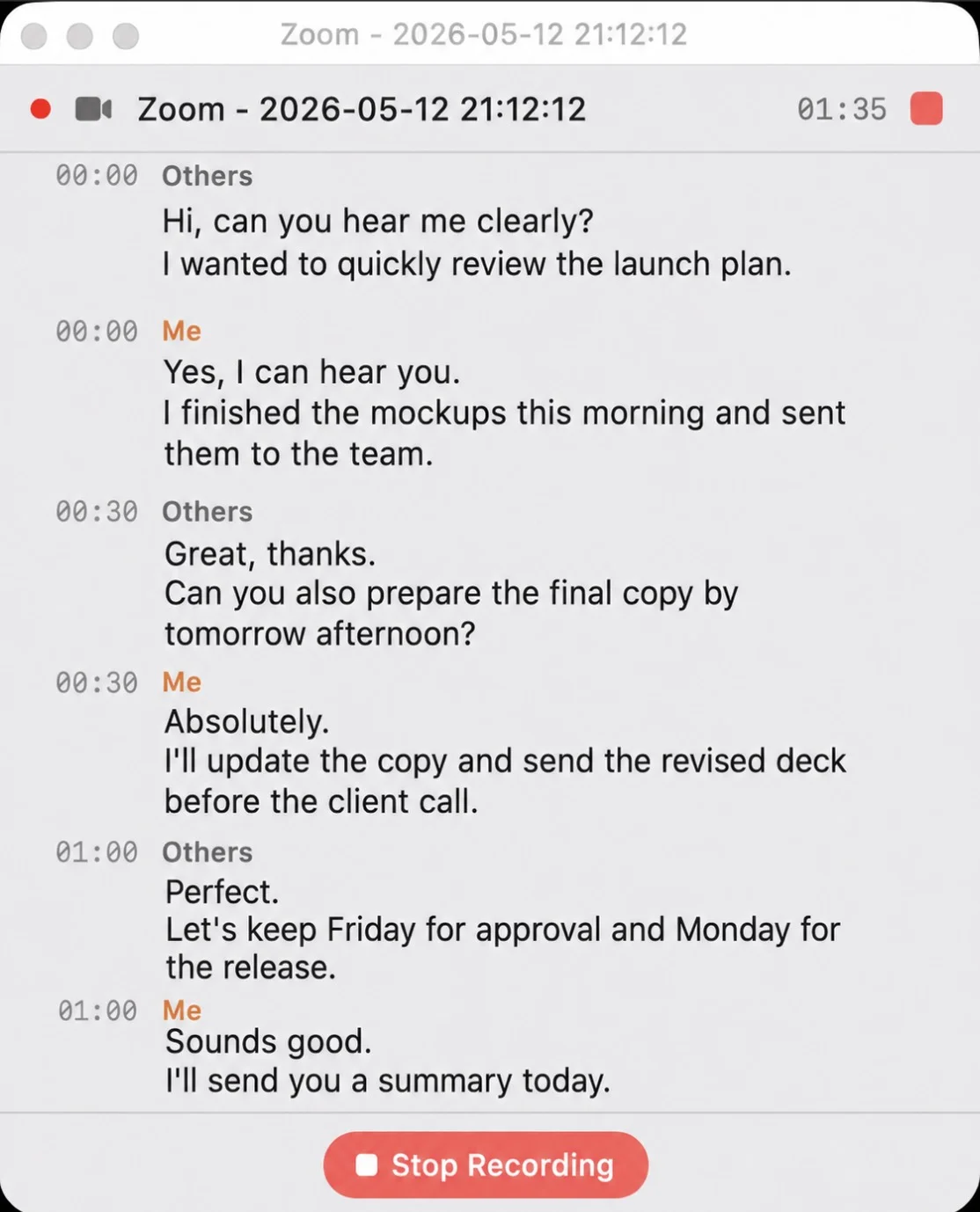
A Zoom call being recorded: your microphone is "Me", the Mac's sound is "Others"
When is something else a better fit?
Whisper Notes records on your own Mac and keeps everything there. There is no Windows version; our Windows page lists offline options that run there. If a whole team needs the same recordings in a shared cloud workspace, a cloud meeting assistant such as Otter fits that job better; if you want the audio and transcript to stay on your Mac, Whisper Notes does that.
Frequently Asked Questions
Does Whisper Notes record my screen?
No. It saves sound only, no video, and the audio and transcript stay on your Mac. macOS calls the permission Screen & System Audio Recording because one permission covers both.
Can I record system audio on a Mac without Screen Recording permission?
Not in Whisper Notes: without it, the app records your microphone only. If the meeting app saved its own recording, or you have the file, import it instead; importing needs no permission.
Can I transcribe a YouTube video playing on my Mac?
Yes. Play it and choose Start Meeting Recording, with Record microphone off if you only want the video's sound. If you have the video file, import it instead and export SRT subtitles.
Can I record system audio on iPhone?
No. iOS doesn't let apps capture another app's sound or phone calls. Record on the Mac, or import the recording into the iPhone app afterwards.
 Download for macOS