You have a dictaphone recording — a dictated brief, an interview, or clinical notes — and you need it as text. Export the file from your recorder, import it into Whisper Notes, and transcribe it on your iPhone or Mac with an on-device model such as Parakeet V3. The audio is not uploaded, and there is no account or per-minute fee. One App Store purchase includes iPhone/iPad and Mac App Store; the direct-download Mac DMG is sold separately and is free for 5,000 words a week.
Who Still Uses Dictaphones — and Why It Matters
The dictaphone never went away. It just moved into professions where speaking is faster than typing and the content is too sensitive to lose — or leak.
- •Lawyers dictate briefs, attendance notes, and letters between meetings. Those recordings may contain client names, case strategy, and privileged details subject to strict confidentiality policies.
- •Doctors dictate clinical notes and referral letters after each patient. Those recordings can contain sensitive health information and require careful handling.
- •Journalists record interviews on voice recorders and phones. Protecting a source starts with not uploading their voice to someone else's cloud.
- •Researchers collect hours of field interviews and observations, often under ethics agreements that explicitly restrict where recordings can be processed.
For all four groups, the bottleneck is the same: turning hours of dictation into text. A typist, outsourced transcription bureau, or cloud service introduces another person or system into the workflow. On-device transcription keeps the processing step on hardware you control.
From Recording to Text in Three Steps
1. Export the file from your dictaphone
Connect your voice recorder over USB (or use its companion app) and copy the recording to your Mac or iPhone. Most digital dictaphones — Olympus, Philips, Sony, Zoom, or the Voice Memos app on your phone — save recordings as MP3, WAV, or M4A. Any of these work as-is; no conversion needed.
2. Import into Whisper Notes
Drag the file into Whisper Notes on Mac, or share it to the app on iPhone. There's no length limit — a two-minute memo and a three-hour interview are both fine. Video files work too: import an MP4 or MOV and the app transcribes the audio track.
| Format | Type | Supported |
|---|---|---|
| MP3 | Audio — most digital dictaphones | Yes, any length |
| WAV | Audio — uncompressed recorders | Yes, any length |
| M4A | Audio — iPhone Voice Memos | Yes, any length |
| MP4 | Video — audio track transcribed | Yes, any length |
| MOV | Video — audio track transcribed | Yes, any length |
3. Transcribe locally, export anywhere
Hit transcribe. On Mac, Parakeet V3 is the default model and runs on-device. In our M4 Pro test, it ran at 103× realtime, against 14.3× for Whisper Large V3 Turbo on the same machine. Its 6.32% English WER comes from the Open ASR Leaderboard, not from every possible dictaphone recording. Your result will vary with the language, microphone, background noise, and specialist vocabulary.
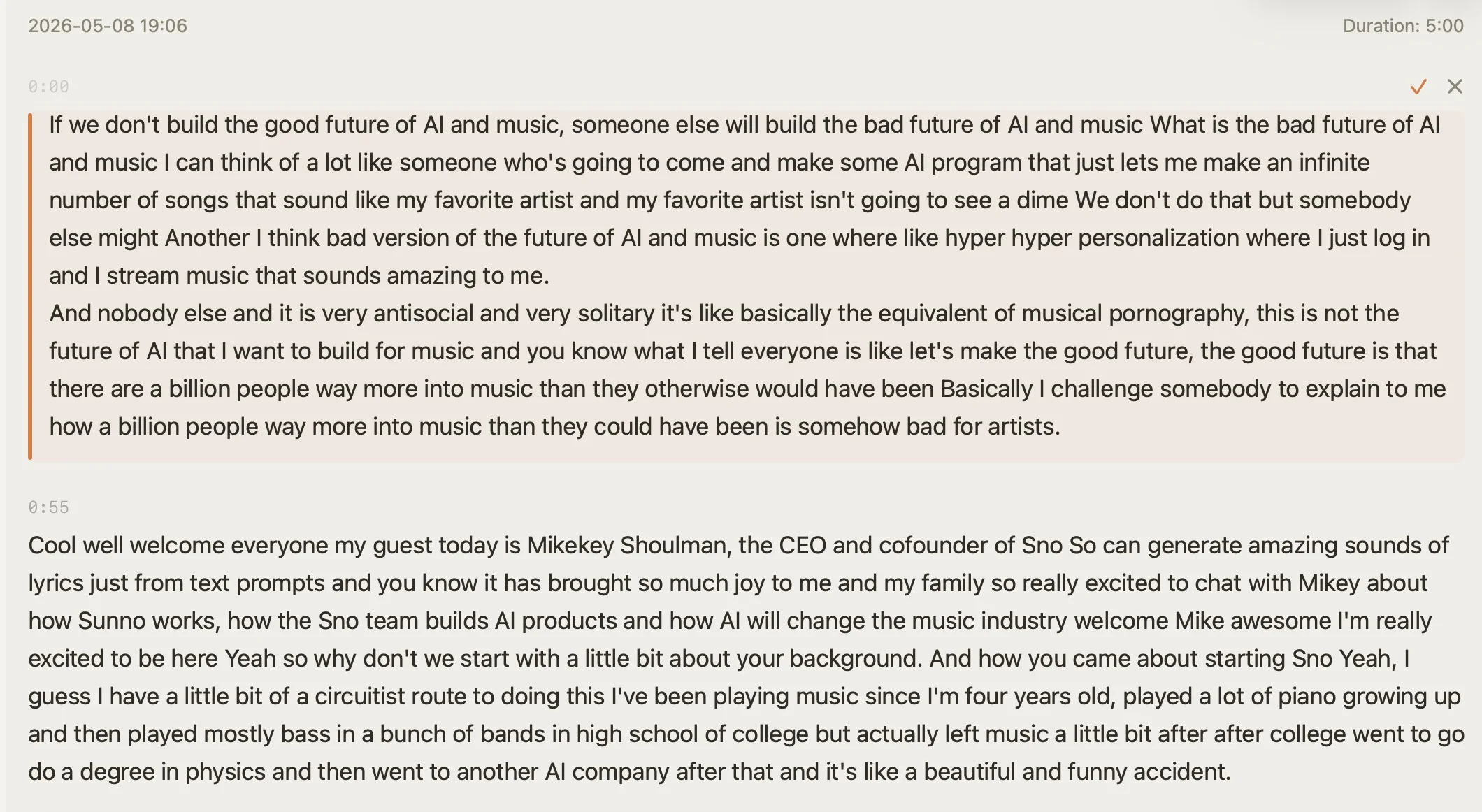
An imported recording, transcribed with timestamps — click any segment to hear the original audio
When you're done, export as TXT for a document, or SRT/VTT with timestamps if the recording came from a video. Edit inline first if you like — corrections stay synced to the audio.
Why Offline Beats Cloud for Dictation
Cloud transcription services typically upload audio to vendor infrastructure and handle it under their retention and data-processing policies. That can be acceptable for some recordings, but it adds another processor to review when the audio contains confidential client, patient, source, or research information.
Whisper Notes downloads the selected speech model during setup; after that, recording and transcription can run without an internet connection. The audio and transcript are not uploaded for transcription. This can reduce third-party data exposure, but local processing alone does not make a legal, medical, or research workflow compliant — your device security, consent process, retention policy, and professional obligations still matter.
| Offline app (Whisper Notes) | Cloud transcription services | |
|---|---|---|
| Where audio is processed | On your own device | Vendor's servers |
| Confidentiality | Audio never leaves the device | Depends on vendor's policies |
| Third-party transfer during transcription | None after model setup | Depends on vendor and plan |
| Cost | One-time; App Store bundle and DMG sold separately | Monthly subscription or per-minute fees |
| Works without internet | Yes, after model setup | No |
| Account required | No | Yes |
The economics matter for heavy dictation users too. If you dictate an hour a day, per-minute cloud pricing adds up fast, and subscriptions bill you whether you dictate or not. A one-time purchase costs the same whether you transcribe ten minutes a month or ten hours a week.
Getting the Most Accurate Transcript
Two settings make the biggest difference for professional dictation:
Custom vocabulary. General-purpose speech models can miss client surnames, drug names, statute citations, and technical jargon. Whisper Notes lets you add recurring names and terms to a custom vocabulary so the transcription engine has more context. Always verify names, dosages, figures, and quotations against the audio before relying on the transcript.
Model choice by language. Pick the model that matches your dictation language:
| English / European | Parakeet V3 — 25 European languages; 103× realtime in our M4 Pro test; 6.32% English WER on the Open ASR Leaderboard; 465 MB download |
| Chinese / Japanese / Korean | SenseVoice — built for Chinese, Japanese, Korean, and Cantonese; 27 minutes of Chinese in 13.83 seconds in our M4 Pro test |
| Other languages | Whisper Large V3 Turbo — 100+ languages, about 1.6 GB, and the broadest language coverage of the three |
And one habit from the analog dictation era still pays off: hold the recorder close, speak at a steady pace, and dictate punctuation-friendly sentences. Clean audio in, clean text out.
Frequently Asked Questions
Can I transcribe old dictaphone recordings?
Yes. Copy the files off your recorder and import them into Whisper Notes — MP3, WAV, and M4A all work, at any length. A recording from ten years ago transcribes exactly like one from this morning; accuracy depends on the audio quality, not the age of the file.
What is the best app to transcribe dictaphone recordings?
Judge any app on four criteria: where the audio is processed, which file formats it accepts, whether it supports your specialist terms, and what it costs over a year. Whisper Notes offers on-device transcription, MP3/WAV/M4A/MP4/MOV import at any length, custom vocabulary, and one-time pricing. One App Store purchase includes iPhone/iPad and Mac App Store; the direct-download Mac DMG is sold separately and is free for 5,000 words a week.
Does dictaphone transcription work without internet?
Yes. Download your chosen speech model during setup; after that, transcription runs on your iPhone or Mac without an internet connection and does not upload the recording.
How accurate is offline dictaphone transcription?
The Open ASR Leaderboard reports 6.32% English WER for Parakeet V3, but that benchmark is not a guarantee for a particular recording. Accent, microphone distance, background noise, and specialist terms all affect accuracy. Custom vocabulary can provide context for recurring names and jargon; verify critical details against the audio.
 Download for iOS